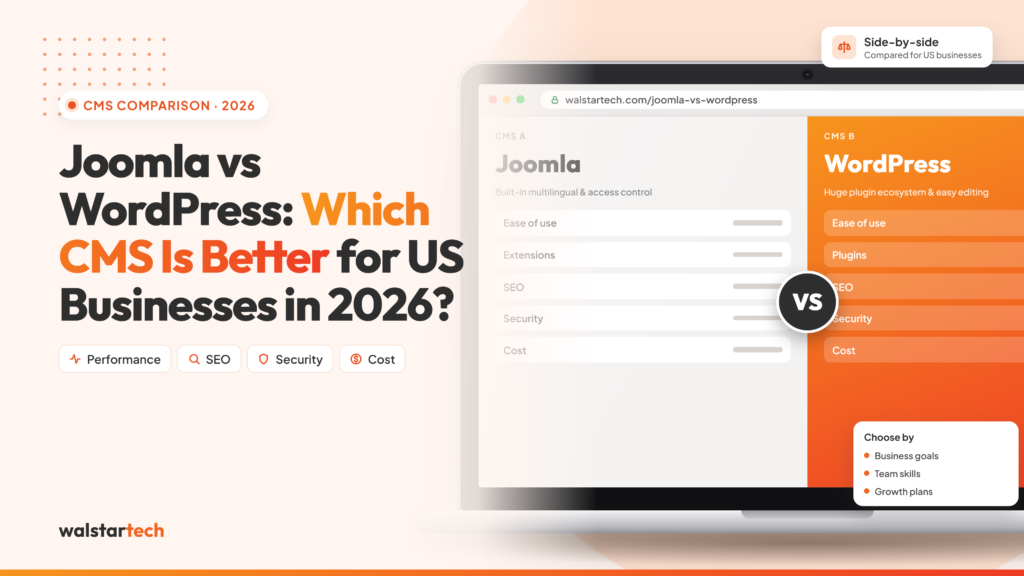
Choosing the right content management system (CMS) is an important decision for any business building or upgrading its online presence.
In 2026, US businesses need websites that are secure, easy to manage, mobile-friendly, search engine optimized, and capable of supporting long-term digital growth.
Two established content management systems, Joomla and WordPress, offer different approaches to website development, customization, and content management.
But which platform is better for your business?
WordPress is generally the more practical choice for US small and medium-sized businesses seeking easy content management, extensive plugin options, and marketing integrations. Joomla remains a strong alternative for organizations requiring advanced content organization, granular access controls, and multilingual capabilities.
The right choice depends on your business goals, technical resources, website requirements, and long-term growth plans.
For businesses considering a platform change, a professional Joomla to WordPress migration service can help transfer existing content, preserve important SEO elements, and simplify the transition.
This guide compares Joomla and WordPress across 10 important factors to help US businesses make an informed decision.
What Is the Difference Between Joomla and WordPress?
Joomla and WordPress are open-source content management systems that allow businesses to create, manage, and update websites without developing every feature from scratch.
Both platforms support business websites, blogs, ecommerce functionality, user management, and website customization.
However, their approaches differ.
WordPress focuses on accessible content management, flexibility, and an extensive ecosystem of themes and plugins. It is widely used for blogs, business websites, ecommerce stores, and marketing-focused websites.
Joomla provides structured content management, built-in multilingual capabilities, and granular user permissions. It can be suitable for websites requiring complex content organization and multiple user roles.
For US businesses, the decision should focus on which platform best supports daily operations, customer experience, marketing activities, and future development.
1. Ease of Use and Website Management
One of the most important considerations when choosing a CMS is how easily business owners and employees can manage their websites.
WordPress offers a relatively straightforward dashboard where users can create pages, publish blogs, upload images, and update website information.
This makes it attractive for small businesses and marketing teams that regularly manage content.
WordPress allows businesses to:
- Create and edit website pages
- Publish blog articles
- Manage images and media
- Update service information
- Add landing pages
- Configure website menus
- Manage plugins and themes
- Assign user roles
Joomla also provides content management capabilities but may require more familiarity with its administration interface, modules, menus, and configuration settings.
For example, a US marketing agency publishing several blogs every month may find WordPress easier for its content team to manage.
Best choice: WordPress generally offers an easier learning experience for nontechnical business users.
2. SEO Capabilities and Search Engine Visibility
Search engine optimization is essential for businesses competing in the US digital market.
Both Joomla and WordPress can support strong SEO performance when configured correctly.
However, WordPress offers a broad selection of SEO plugins that help businesses manage technical and on-page optimization.
WordPress SEO capabilities include:
- SEO title and meta description management
- XML sitemap generation
- Canonical URL configuration
- Structured data implementation
- Internal linking optimization
- Image alt text management
- Redirect management
- Content optimization tools
Joomla also supports search-friendly URLs, metadata, redirects, and SEO extensions.
The main difference is often how conveniently businesses can manage these elements.
For example, a local service business targeting customers in Texas, California, or Florida may want to publish location-specific landing pages and optimize them for relevant search terms.
WordPress can simplify this process through its content editor and SEO plugins.
However, switching from Joomla to WordPress does not automatically improve Google rankings. Website speed, content quality, technical SEO, internal linking, and user experience remain important.
Best choice: WordPress offers convenient SEO management tools, although both platforms can rank effectively.
3. Website Design and Customization Options
A professional website should reflect the company’s brand identity while providing a positive user experience.
Both Joomla and WordPress support website customization, but their design ecosystems differ.
WordPress offers a large selection of themes, page builders, and design tools.
Businesses can create:
- Corporate websites
- Service landing pages
- Ecommerce stores
- Portfolio websites
- Blogs and resource centers
- Membership websites
- Appointment booking websites
- Industry-specific business websites
Joomla also supports custom templates and extensions, making it suitable for businesses requiring specialized layouts and functionality.
However, finding compatible themes and extensions for specific requirements may require additional development work.
For US businesses that frequently launch new campaigns, promotions, or landing pages, WordPress can offer a more accessible design workflow.
Best choice: WordPress for broad theme selection and easier customization; Joomla remains capable for custom-built websites.
4. Website Security and Maintenance
Website security is a major concern for businesses managing customer information, online enquiries, and digital transactions.
Both Joomla and WordPress provide security updates and support security-focused configurations.
However, website security depends heavily on hosting, updates, extensions, access controls, and ongoing maintenance.
Important security practices include:
- Keeping the CMS updated
- Updating themes and extensions
- Using secure hosting
- Enabling HTTPS
- Implementing strong passwords
- Using multifactor authentication
- Limiting administrative access
- Creating regular backups
- Monitoring suspicious activity
WordPress has a large plugin ecosystem, which creates flexibility but also makes plugin selection and maintenance especially important.
Joomla provides granular access controls and built-in functionality that may reduce the need for some additional extensions.
Neither platform is automatically secure simply because of its name.
Best choice: Both platforms can be secure when properly maintained. Businesses should prioritize technical maintenance and security practices over CMS popularity.
5. Website Performance and Loading Speed
Website loading speed influences user experience, engagement, and conversion opportunities.
A slow website may frustrate visitors and reduce the likelihood of enquiries or purchases.
Both Joomla and WordPress can deliver fast websites when properly optimized.
Important performance factors include:
- Reliable website hosting
- Optimized images
- Efficient themes and templates
- Caching configuration
- Database optimization
- Content delivery networks
- Limited unnecessary extensions
- Efficient JavaScript and CSS
- Mobile performance optimization
WordPress offers numerous caching and performance optimization tools.
Joomla also includes caching capabilities and supports performance-focused extensions.
For example, an ecommerce business receiving traffic from Google Ads should prioritize fast product pages and a responsive checkout experience.
Best choice: Neither CMS is inherently faster in every situation. Performance depends on the website’s implementation and infrastructure.
6. Ecommerce Features and Online Store Management
Ecommerce businesses need a website platform that supports product management, secure payments, inventory, and customer orders.
WordPress supports ecommerce through WooCommerce and other integrations.
With WooCommerce, businesses can manage:
- Product catalogs
- Shopping carts
- Checkout processes
- Payment gateways
- Shipping configurations
- Product variations
- Inventory
- Discount codes
- Customer accounts
- Order management
Joomla also supports ecommerce through extensions such as HikaShop and VirtueMart.
Both platforms can be used to create online stores.
However, WordPress and WooCommerce offer a large ecosystem of ecommerce extensions, integrations, and development resources.
For US businesses planning to expand online sales, this can provide practical flexibility.
Best choice: WordPress with WooCommerce is often more convenient for businesses seeking a broad ecommerce ecosystem.
7. Plugins, Extensions, and Third-Party Integrations
Modern business websites often need to connect with marketing, analytics, sales, and customer management systems.
Both Joomla and WordPress support third-party integrations.
WordPress offers an extensive plugin ecosystem for:
- SEO management
- Google Analytics integration
- Contact forms
- Email marketing
- CRM systems
- Appointment booking
- Ecommerce
- Social media integration
- Website security
- Marketing automation
Joomla also offers extensions for many business functions.
However, WordPress generally provides a wider selection of readily available plugins and integration options.
For example, a US business running Google Ads and Meta Ads may want to integrate lead forms, conversion tracking, analytics, and CRM systems.
WordPress can help simplify these integrations through compatible plugins and development tools.
Best choice: WordPress for businesses requiring a wide range of third-party integrations.
8. Website Development and Maintenance Costs
Cost is an important consideration for small businesses, startups, and growing companies.
Both Joomla and WordPress are open-source platforms, meaning the core software can be used without purchasing a traditional CMS license.
However, website development and maintenance involve additional expenses.
Common costs include:
- Domain registration
- Website hosting
- Premium themes or templates
- Paid plugins and extensions
- Website development
- Custom functionality
- Security maintenance
- Technical support
- Website redesign
- SEO optimization
WordPress may offer lower development costs for straightforward business websites because of its extensive theme and plugin ecosystem.
However, complex WordPress websites with premium integrations and custom development can also become expensive.
Joomla may be cost-effective for organizations that already have experienced Joomla developers and a well-maintained website.
Best choice: WordPress may be more cost-effective for standard business websites, but total cost depends on technical requirements and ongoing maintenance.
9. Scalability and Long-Term Business Growth
As businesses grow, their websites may need to support additional content, integrations, users, and functionality.
Both Joomla and WordPress can support scalable websites when built on suitable infrastructure.
WordPress can be used for:
- Growing service businesses
- Multi-location company websites
- Content marketing platforms
- Ecommerce stores
- Membership websites
- Enterprise publishing
- Marketing-focused websites
Joomla can also support complex websites, particularly those requiring structured content and sophisticated user permissions.
For example, a US business expanding from one city to multiple locations may need new landing pages, service categories, and marketing integrations.
WordPress can make it easier for nontechnical teams to manage these additions.
However, scalability also depends on hosting capacity, database efficiency, architecture, and development quality.
Best choice: WordPress for many marketing-focused growing businesses; Joomla for certain complex content and permission requirements.
10. Joomla to WordPress Migration: When Should Businesses Switch?
Businesses using Joomla may consider migrating to WordPress when their current website becomes difficult to manage or no longer supports their operational needs.
Common reasons for migration include:
- Difficulty updating website content
- Limited internal Joomla expertise
- Need for additional marketing integrations
- Website redesign requirements
- More frequent content publishing
- Ecommerce expansion
- Simplified website administration
- Access to a broader plugin ecosystem
- Long-term website modernization
However, migration should not be treated as a requirement for every Joomla website.
If your existing Joomla website is secure, well-maintained, and meeting business goals, remaining on Joomla may be the better decision.
When migration is appropriate, businesses should carefully plan the transition to protect content, website functionality, and SEO.
A professional Joomla to WordPress migration service can help businesses manage the technical requirements.
WalstarTech provides migration solutions covering website content transfer, WordPress setup, SEO considerations, design customization, and technical support.
For US businesses seeking to transition from Joomla to WordPress, working with experienced professionals can help reduce migration risks and create a more organized process.
Joomla vs WordPress: Which CMS Should US Businesses Choose?
The best CMS depends on business requirements, technical resources, and long-term objectives.
WordPress is often a strong choice for:
- Small and medium-sized businesses
- Marketing agencies
- Local service providers
- Ecommerce businesses
- Content-focused websites
- Companies publishing frequent blogs
- Businesses requiring marketing integrations
Joomla may be suitable for:
- Websites with complex content structures
- Organizations requiring granular user permissions
- Multilingual websites
- Businesses with established Joomla expertise
- Websites using specialized Joomla functionality
For many US businesses seeking accessible website management, marketing flexibility, and broad integration options, WordPress may provide practical advantages.
However, the decision should be based on an assessment of the existing website and future requirements.
Why Choose WalstarTech for Joomla to WordPress Migration?
Moving from one CMS to another requires more than transferring website content.
Businesses need to consider SEO, website design, functionality, data security, and post-launch performance.
WalstarTech offers professional Joomla to WordPress migration services designed to help businesses transition to a flexible WordPress environment.
Its migration services address important areas such as:
- Joomla website assessment
- Content and media migration
- WordPress installation and configuration
- Website design and customization
- SEO metadata migration
- URL mapping and redirects
- Website functionality
- Technical testing
- Post-migration assistance
For US businesses planning a CMS upgrade, WalstarTech can help evaluate migration requirements and develop an approach suited to the website’s complexity.
The objective is to create a functional WordPress website while minimizing unnecessary disruption to existing business operations and search visibility.
Final Thoughts
Both Joomla and WordPress remain capable content management systems in 2026.
Joomla offers structured content management, granular permissions, and built-in multilingual functionality.
WordPress provides accessible content editing, a broad plugin ecosystem, flexible design options, and convenient marketing integrations.
For many US small and medium-sized businesses, WordPress is the more practical option because of its ease of use, customization flexibility, and extensive support ecosystem.
However, choosing the right CMS requires evaluating website requirements, development costs, security needs, and long-term business goals.
Businesses already using Joomla should carefully assess whether migration will provide meaningful benefits before making the switch.
For organizations ready to move to WordPress, professional migration support can help make the transition more manageable.
WalstarTech provides Joomla to WordPress migration solutions for businesses looking to modernize their websites and prepare for future digital growth.
Frequently Asked Questions (FAQs)
1. Is WordPress better than Joomla in 2026?
WordPress is generally easier for nontechnical users and offers a larger plugin and theme ecosystem. Joomla may be preferable for websites requiring advanced content organization, multilingual capabilities, or granular access controls.
2. Which CMS is better for SEO, Joomla or WordPress?
Both platforms support effective SEO. WordPress offers a broad range of SEO plugins, while Joomla provides SEO settings and extensions. Search rankings depend on content quality, technical optimization, and website performance rather than CMS selection alone.
3. Is Joomla more secure than WordPress?
Neither platform is automatically more secure in every situation. Security depends on software updates, hosting, extension quality, user permissions, and maintenance practices.
4. Can I migrate my Joomla website to WordPress without losing content?
Yes. Pages, articles, images, and other website data can often be transferred through migration tools or professional services. However, some custom features may require rebuilding, and content should be verified after migration.
5. Does WalstarTech offer Joomla to WordPress migration services for US businesses?
Yes. WalstarTech offers Joomla to WordPress migration solutions that address content transfer, WordPress configuration, SEO requirements, website functionality, and technical assistance.
Migrate Your Joomla Website to WordPress With WalstarTech
Is your existing Joomla website limiting your ability to update content, integrate marketing tools, or expand your online presence?
WalstarTech provides professional Joomla to WordPress migration services for US businesses looking to modernize their websites.
Whether you operate a small business website, a corporate platform, or a content-heavy website, WalstarTech can help you evaluate migration requirements and plan the transition.
From website assessment and content migration to SEO considerations and WordPress configuration, the team can support the technical aspects of moving to a new CMS.
Contact WalstarTech today to explore professional Joomla to WordPress migration services and take the next step toward a flexible, future-ready business website.