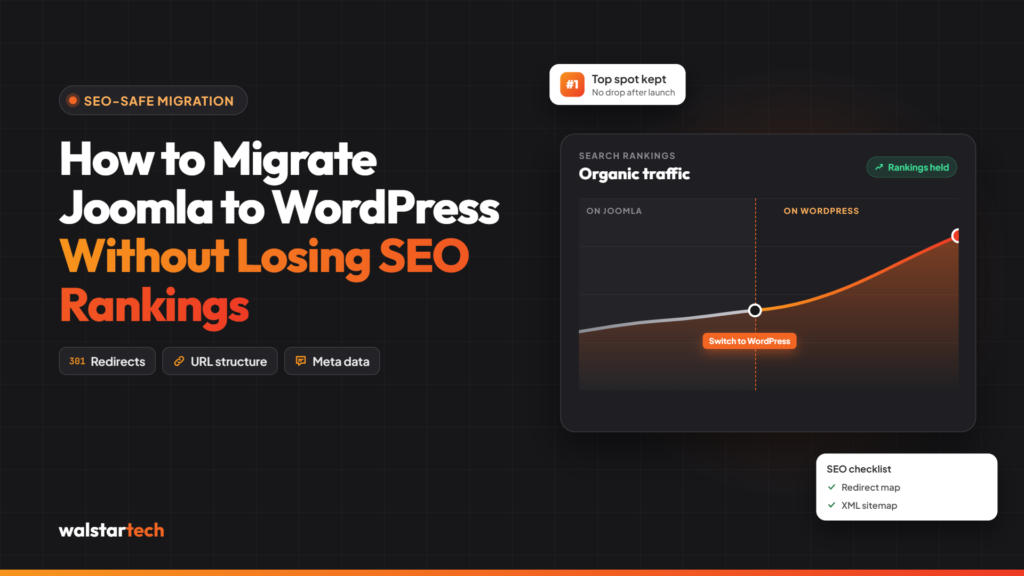
Migrating a website from Joomla to WordPress can be an important step for businesses looking to improve website management, enhance functionality, and support long-term digital growth.
However, one of the biggest concerns during website migration is losing existing SEO rankings, organic traffic, and search engine visibility.
For US businesses that rely on Google to generate leads, enquiries, and online sales, even temporary search visibility changes can affect business performance.
A poorly planned migration can result in broken URLs, missing content, incorrect redirects, indexing issues, and lost organic traffic.
The good news is that these risks can be reduced through careful planning and technical SEO practices.
A professional Joomla to WordPress migration service helps businesses transfer website content, preserve important SEO elements, and manage the technical requirements of moving to WordPress.
In this guide, we’ll explore 10 essential steps to migrate Joomla to WordPress while minimizing SEO disruption and protecting your website’s existing search visibility.
What Is Joomla to WordPress SEO Migration?
Joomla to WordPress SEO migration is the process of moving a website from Joomla to WordPress while preserving the technical and content-related elements that influence search engine visibility.
Unlike a basic website migration, an SEO-focused migration requires careful attention to existing URLs, indexed pages, metadata, internal links, redirects, and website structure.
The main objectives include:
- Preserving important website content
- Maintaining existing URLs wherever possible
- Implementing appropriate 301 redirects
- Transferring SEO titles and meta descriptions
- Protecting internal linking structures
- Maintaining canonical URL configurations
- Preventing unnecessary indexing issues
- Preserving valuable backlinks through working URLs
- Monitoring organic traffic and keyword rankings
- Ensuring the new WordPress website is accessible to search engines
The goal is not simply to move website content. It is to help search engines understand the transition while maintaining access to valuable pages.
Although no migration can guarantee unchanged Google rankings, proper SEO planning can significantly reduce avoidable risks.
1. Conduct a Complete SEO Audit Before Migration
A successful Joomla to WordPress migration begins with understanding the current website’s SEO performance.
Before transferring any content, businesses should evaluate existing rankings, organic traffic, indexed pages, backlinks, and technical SEO settings.
This creates a baseline for comparing website performance before and after migration.
Important SEO audit activities include:
- Identifying top-performing organic landing pages
- Recording important keyword rankings
- Reviewing organic traffic in Google Analytics
- Checking indexed pages in Google Search Console
- Exporting existing website URLs
- Reviewing SEO titles and meta descriptions
- Identifying pages with valuable backlinks
- Checking broken links and crawl errors
- Reviewing canonical tags
- Analyzing website structure and navigation
For example, a US service business may have several landing pages ranking for location-specific keywords.
If these pages generate qualified enquiries, preserving their content and URL structure should be a priority.
Tools such as Google Search Console, Google Analytics 4, Screaming Frog, Semrush, and Ahrefs can support the audit.
A pre-migration SEO audit helps businesses identify valuable website assets that need protection during the transition.
2. Create a Complete Website Backup
Before making changes to the existing Joomla website, creating a complete backup is essential.
Website migration involves transferring files, databases, media, and configurations between different content management systems.
Without a reliable backup, technical problems can put valuable business information at risk.
A complete Joomla website backup should include:
- Website files and folders
- Joomla database
- Images and media assets
- Configuration files
- Website content
- User information
- Important extension settings
- Existing SEO configurations
Businesses should also verify that the backup can be restored successfully.
Keeping the original Joomla website available during development can provide an additional reference when checking migrated content and functionality.
Professional Joomla to WordPress migration services generally incorporate backup and recovery planning into the migration workflow.
The objective is to protect website data and provide a recovery option before major technical changes begin.
3. Preserve Existing URLs and Plan 301 Redirects
URL preservation is one of the most important parts of migrating Joomla to WordPress without unnecessary SEO losses.
Joomla and WordPress may generate different URL structures.
If existing URLs change without proper redirects, users and search engines may encounter 404 errors.
For example:
Old Joomla URL:
https://example.com/index.php/services/web-development
New WordPress URL:
https://example.com/services/web-development/
When an existing page moves to a new URL, a permanent 301 redirect should generally point from the old address to the most relevant new page.
Important URL migration practices include:
- Exporting all important Joomla URLs
- Mapping old URLs to new WordPress URLs
- Preserving URL structures wherever practical
- Implementing server-side 301 redirects
- Avoiding unnecessary redirect chains
- Updating internal links to their final destinations
- Checking redirects after launch
- Reviewing 404 errors in Google Search Console
Businesses should avoid redirecting every deleted or changed page to the homepage.
Instead, redirects should point to relevant replacement content whenever appropriate.
Proper URL mapping helps preserve access to existing pages and allows search engines to discover their new locations.
4. Transfer Website Content Without Losing SEO Value
Website content plays an important role in organic search performance.
During Joomla to WordPress migration, businesses should carefully transfer important pages, blog articles, headings, images, and other content elements.
Missing or significantly altered content can change a page’s relevance for existing search queries.
Important content migration tasks include:
- Transferring service pages
- Migrating blog articles
- Preserving important headings
- Maintaining relevant keyword usage
- Moving images and media
- Preserving image alt text
- Reviewing content formatting
- Recreating categories and navigation
- Updating internal links
- Checking content completeness
For example, if a Joomla service page ranks for a competitive business keyword, unnecessary changes to its content during migration may introduce additional SEO risk.
Businesses can improve content separately, but major redesigns and extensive content rewrites should be evaluated carefully.
Combining a CMS migration with large-scale content changes makes it more difficult to identify the cause of any ranking fluctuations.
WalstarTech offers professional website migration assistance to help businesses transfer existing Joomla content into an organized WordPress environment.
5. Migrate SEO Titles, Meta Descriptions, and Heading Tags
SEO metadata helps search engines understand website pages and can influence how those pages appear in search results.
During migration, businesses should ensure important metadata is transferred accurately.
Essential SEO elements include:
- SEO title tags
- Meta descriptions
- H1 headings
- H2 and H3 headings
- Image alt text
- Canonical tags
- Indexing directives
- Structured data, where applicable
For example, a Joomla page optimized for “commercial web development services in Texas” should retain its relevant SEO title and page content after migration.
WordPress SEO plugins can help businesses manage metadata and technical settings.
However, installing an SEO plugin does not automatically transfer every Joomla SEO configuration.
Each important page should be checked after migration.
Preserving relevant SEO metadata helps maintain content consistency and reduces unnecessary changes to search engine signals.
6. Maintain Internal Linking and Website Structure
Internal links help visitors navigate a website and allow search engines to discover related content.
When migrating from Joomla to WordPress, existing internal links may still point to old Joomla URLs.
Although redirects can help, updating links to their final WordPress destinations is generally preferable.
Important internal linking activities include:
- Reviewing navigation menus
- Updating links within blog articles
- Checking service page links
- Preserving important category relationships
- Updating footer links
- Reviewing breadcrumbs
- Fixing broken internal links
- Maintaining relevant anchor text
- Checking orphan pages
For example, a business website may have several blog articles linking to an important service page.
Those links should continue pointing to the correct destination after migration.
Businesses should also review the overall website hierarchy to ensure important pages remain accessible.
A clear website structure supports both user experience and search engine crawling.
7. Configure WordPress Technical SEO Settings
After transferring content, businesses should configure WordPress to support search engine crawling and indexing.
WordPress provides tools for managing URLs, sitemaps, metadata, and other SEO settings.
However, incorrect configuration can create technical issues.
Important technical SEO checks include:
- Configuring SEO-friendly permalinks
- Reviewing robots.txt
- Generating an XML sitemap
- Checking canonical URLs
- Confirming HTTPS functionality
- Reviewing index and noindex settings
- Preventing duplicate content
- Checking mobile usability
- Reviewing structured data
- Ensuring important pages return HTTP 200 status codes
A particularly important step is confirming that the live WordPress website is not accidentally blocked from search engines.
During development, staging websites are often configured to discourage indexing.
Those restrictions must be reviewed carefully before launch.
Businesses should also ensure the staging website itself remains inaccessible to public search indexing.
Correct technical SEO configuration helps search engines crawl and understand the migrated WordPress website.
8. Test Website Speed, Mobile Responsiveness, and Functionality
Website migration provides an opportunity to review technical performance and user experience.
However, WordPress does not automatically make a website faster or more mobile-friendly.
Performance depends on hosting, themes, plugins, images, caching, and website development quality.
Important testing activities include:
- Checking page loading performance
- Reviewing Core Web Vitals
- Testing mobile responsiveness
- Optimizing images
- Reviewing caching configurations
- Testing navigation menus
- Checking contact forms
- Verifying conversion tracking
- Reviewing JavaScript errors
- Testing important landing pages
Google PageSpeed Insights can help identify performance issues.
Businesses should also test their websites across different screen sizes and browsers.
For example, a US business running paid advertising campaigns should confirm that its landing pages, enquiry forms, and conversion tracking continue working after migration.
A technically functional website supports a better user experience and helps avoid preventable problems after launch.
9. Monitor Google Search Console and Organic Traffic After Migration
SEO migration does not end when the new WordPress website goes live.
Search engines need time to crawl the updated website, process redirects, and understand changes.
Businesses should monitor search performance during the weeks following migration.
Important monitoring activities include:
- Reviewing Google Search Console indexing reports
- Checking organic traffic in GA4
- Monitoring important keyword rankings
- Identifying unexpected 404 errors
- Verifying 301 redirects
- Reviewing XML sitemap processing
- Checking crawl and server errors
- Monitoring organic landing page performance
- Comparing pre- and post-migration data
- Investigating significant traffic declines
A useful approach is to compare performance over similar periods while accounting for seasonality and other marketing changes.
For example, if an important service page experiences a sudden decline in organic traffic, businesses should investigate its indexing status, redirects, content, and technical configuration.
Some ranking fluctuations are possible after migration.
However, persistent or significant problems should be investigated rather than assumed to be temporary.
Continuous monitoring helps businesses identify SEO issues early and take corrective action.
10. Choose a Professional Joomla to WordPress Migration Service
Migrating Joomla to WordPress requires coordination between website development, content management, technical SEO, and quality assurance.
For businesses without dedicated technical teams, managing these tasks internally can be challenging.
Working with an experienced migration partner can help create a structured process and reduce avoidable technical mistakes.
A professional migration service should address:
- Website audit and migration planning
- Secure website backups
- Joomla content and media transfer
- WordPress installation and configuration
- URL mapping and 301 redirects
- SEO metadata preservation
- Internal linking updates
- Website functionality testing
- Technical SEO verification
- Post-migration support
WalstarTech provides professional Joomla to WordPress migration services for businesses seeking a more flexible website platform.
Its migration solutions address content transfer, WordPress setup, website customization, SEO considerations, and technical support.
For US businesses relying on organic traffic and lead generation, a structured migration approach can help protect valuable website assets while preparing for future growth.
Choosing an experienced Joomla to WordPress migration partner helps businesses manage technical complexity and focus on maintaining website quality throughout the transition.
Why SEO Preservation Matters During Joomla to WordPress Migration
Organic search traffic can be an important source of enquiries, customers, and revenue for businesses across the United States.
A website that already ranks for relevant search queries has accumulated valuable content, links, and search visibility.
Poorly planned migration can disrupt those assets.
An SEO-focused migration strategy helps businesses:
- Maintain access to important landing pages
- Reduce broken links
- Preserve relevant content
- Retain working backlink destinations
- Maintain internal linking relationships
- Support search engine crawling
- Minimize avoidable indexing problems
- Monitor organic search performance
For businesses operating in competitive markets such as Texas, California, Florida, and New York, protecting existing organic visibility can be especially important.
The objective is to create a WordPress website that supports future growth without unnecessarily sacrificing the value of existing SEO efforts.
Common Joomla to WordPress Migration Mistakes to Avoid
Even a relatively small website migration can introduce problems when important technical details are overlooked.
Common mistakes include:
- Migrating without a complete backup
- Changing URLs without redirect mapping
- Forgetting important SEO metadata
- Removing valuable website content
- Leaving internal links pointing to outdated URLs
- Accidentally blocking search engine indexing
- Ignoring mobile responsiveness
- Launching without proper testing
- Failing to monitor organic traffic
- Removing old redirects too early
Avoiding these mistakes requires preparation, testing, and post-launch monitoring.
Businesses should also avoid making too many unrelated website changes during the migration, as this can make SEO troubleshooting more difficult.
Final Thoughts
Migrating from Joomla to WordPress can help US businesses simplify website management, expand customization options, and support long-term digital marketing requirements.
However, preserving existing SEO performance requires careful planning and attention to technical details.
A successful Joomla to WordPress SEO migration focuses on maintaining valuable content, implementing accurate redirects, preserving metadata, and ensuring search engines can access the new website correctly.
Although temporary ranking fluctuations may occur, businesses can reduce unnecessary SEO risks through proper preparation, testing, and monitoring.
For organizations planning to migrate their Joomla websites, professional technical support can make the process more organized and manageable.
WalstarTech provides Joomla to WordPress migration services designed to help businesses transition while addressing important content, functionality, and SEO requirements.
Frequently Asked Questions (FAQs)
1. Can I migrate Joomla to WordPress without losing SEO rankings?
Yes, it is possible to migrate while maintaining much of your existing search visibility. Proper URL redirects, metadata preservation, content migration, and technical SEO checks help reduce ranking risks. However, unchanged rankings cannot be guaranteed.
2. Will changing from Joomla to WordPress improve my Google rankings?
Not automatically. WordPress provides useful SEO tools, but rankings depend on content quality, technical performance, backlinks, and other search engine factors. Migration alone does not guarantee higher rankings.
3. How do I preserve URLs during Joomla to WordPress migration?
Where practical, configure WordPress to retain existing URL paths. When URLs must change, implement permanent 301 redirects from the old addresses to relevant new pages.
4. How long does SEO recovery take after Joomla to WordPress migration?
Search performance may stabilize within weeks, but some websites can take longer. The timeline depends on website size, crawl frequency, technical changes, and the quality of the migration.
5. Does WalstarTech provide SEO-friendly Joomla to WordPress migration services?
WalstarTech offers Joomla to WordPress migration solutions that address content transfer, URL redirects, metadata, WordPress configuration, website functionality, and technical support.
Protect Your SEO Rankings With WalstarTech's Joomla to WordPress Migration Service
Planning to migrate your Joomla website to WordPress but concerned about losing organic traffic, keyword rankings, or valuable website content?
WalstarTech offers professional Joomla to WordPress migration services for US businesses seeking a structured, SEO-conscious transition.
Whether you manage a small business website, a corporate platform, or a content-heavy website, WalstarTech can help assess your migration requirements and plan the process.
From website audits and content transfers to URL redirects, WordPress configuration, and post-migration testing, WalstarTech provides technical migration support tailored to business requirements.
Contact WalstarTech today to discuss your Joomla to WordPress migration and take the next step toward a flexible, SEO-ready WordPress website.