Migrating your website from Joomla to WordPress can be an important step toward improving website management, flexibility, and long-term digital growth.
However, website migration is not simply about transferring content from one content management system (CMS) to another. It involves technical planning, data protection, SEO preservation, website functionality, and careful testing.
For businesses across the United States, even small migration mistakes can result in lost organic traffic, broken links, missing content, website downtime, and reduced customer conversions.
A poorly executed migration can affect your website’s performance and create additional development costs.
The good news is that most common migration problems can be avoided with proper preparation and technical expertise.
A professional Joomla to WordPress migration service helps businesses manage the transition while protecting important website content, functionality, and SEO elements.
In this guide, we’ll explore 10 common Joomla to WordPress migration mistakes, how they affect business websites, and what you can do to avoid them.
What Are the Most Common Joomla to WordPress Migration Mistakes?
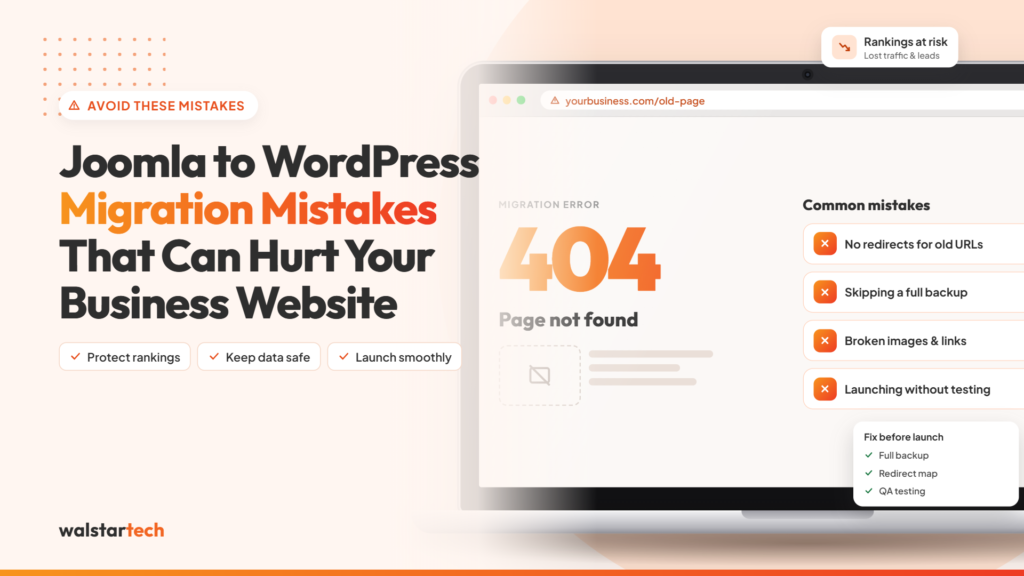
The most common Joomla to WordPress migration mistakes include failing to back up the website, changing URLs without redirects, losing SEO metadata, transferring incomplete content, ignoring extension compatibility, and launching without proper testing.
These mistakes can affect website accessibility, search engine visibility, and customer experience.
Common migration problems include:
- Missing website backups
- Broken URLs and incorrect redirects
- Lost SEO titles and meta descriptions
- Missing pages, articles, or images
- Incompatible Joomla extensions
- Poor WordPress theme configuration
- Slow website loading speed
- Incorrect search engine indexing settings
- Broken contact forms and integrations
- Lack of post-migration monitoring
A successful Joomla to WordPress migration requires careful planning, accurate content transfer, technical SEO configuration, and thorough quality assurance.
Understanding these mistakes before starting your migration can help reduce unnecessary risks and protect your website’s existing value.
1. Starting Migration Without a Complete Website Backup
One of the biggest mistakes businesses make is beginning the migration process without creating a complete backup of their existing Joomla website.
A website contains valuable business information, including pages, articles, images, databases, customer information, and configuration settings.
If something goes wrong during migration, missing backups can make recovery difficult.
Businesses should back up:
- Joomla website files
- Website databases
- Images and media assets
- Configuration files
- Website content
- Important user information
- Custom extension settings
- Existing SEO configurations
It is also important to verify that the backup can be restored successfully.
For example, a US business with hundreds of service pages could face significant operational disruption if website data is accidentally deleted during migration.
How to avoid this mistake: Create and verify a complete website backup before making changes. Keep a separate copy of the original website until the WordPress migration has been completed and tested.
2. Changing Website URLs Without Proper 301 Redirects
Changing URLs without implementing appropriate redirects is one of the most damaging SEO mistakes during Joomla to WordPress migration.
Joomla and WordPress may use different URL structures.
When existing URLs change without redirects, visitors and search engines may encounter 404 errors.
For example:
Old Joomla URL:
https://example.com/index.php/services/web-design
New WordPress URL:
https://example.com/services/web-design/
If the old URL has backlinks or receives organic traffic, removing it without a redirect can disrupt access to the page and affect search visibility.
Important redirect practices include:
- Exporting existing Joomla URLs
- Mapping old URLs to relevant WordPress URLs
- Implementing permanent 301 redirects
- Avoiding unnecessary redirect chains
- Checking redirects after launch
- Updating internal links
- Monitoring 404 errors
- Preserving important URL structures where possible
Businesses should avoid redirecting every old URL to the homepage. Redirects should point to relevant replacement pages whenever appropriate.
How to avoid this mistake: Prepare a complete URL mapping document before migration and test all important 301 redirects before and after launching the WordPress website.
3. Losing SEO Titles, Meta Descriptions, and Other SEO Elements
Search engine optimization is an important part of a business website’s long-term digital marketing strategy.
Many Joomla websites already contain optimized page titles, meta descriptions, headings, image alt text, and other SEO elements.
If these elements are lost during migration, search engines may receive different information about the website’s pages.
Important SEO elements to preserve include:
- SEO title tags
- Meta descriptions
- H1 headings
- H2 and H3 headings
- Image alt text
- Canonical URLs
- Structured data
- Indexing directives
- XML sitemap information
- Internal linking structure
For example, a service page ranking for “website development services in Texas” may rely on relevant content, headings, and metadata to communicate its topic.
Losing or changing these elements unnecessarily can introduce additional SEO risks.
WordPress offers SEO plugins that help manage metadata, but businesses must verify that important settings are transferred correctly.
How to avoid this mistake: Conduct an SEO audit before migration, export important metadata, and compare SEO settings on the new WordPress website before launch.
4. Migrating Incomplete or Incorrect Website Content
Content migration is one of the most important stages of moving from Joomla to WordPress.
A common mistake is assuming that automated migration tools will transfer every page, image, category, and custom field correctly.
Although migration tools can simplify the process, they may not fully support every Joomla extension or custom content structure.
Common content migration problems include:
- Missing website pages
- Incomplete blog articles
- Broken images
- Incorrect formatting
- Missing categories
- Duplicate content
- Broken internal links
- Missing downloadable files
- Incorrect publishing dates
- Lost custom fields
For US businesses relying on content marketing and SEO, missing or incorrectly transferred content can affect search visibility and user experience.
For example, if a business loses important service descriptions or FAQ content during migration, its new website may no longer answer the same customer questions.
How to avoid this mistake: Create a complete content inventory before migration. After transferring content, compare important Joomla pages with their WordPress versions to verify accuracy and completeness.
5. Ignoring Joomla Extension and WordPress Plugin Compatibility
Joomla extensions and WordPress plugins are built for different platforms.
A common migration mistake is assuming that existing Joomla extensions will work directly in WordPress.
In most cases, businesses need to identify suitable WordPress alternatives or rebuild custom functionality.
Important website features may include:
- Contact forms
- Appointment booking systems
- Ecommerce functionality
- Customer login portals
- Membership systems
- Payment gateways
- CRM integrations
- Email marketing tools
- Custom databases
- Third-party applications
For example, an ecommerce business using a Joomla shopping extension may need to migrate its product catalog, customer information, and order-related functionality to a compatible WordPress ecommerce system.
This process may require additional configuration and development.
How to avoid this mistake: Review every important Joomla extension before migration. Identify WordPress alternatives, document required functionality, and test all integrations before launching the website.
6. Choosing an Incompatible or Poorly Optimized WordPress Theme
Website migration often involves recreating or redesigning the existing website.
However, selecting a WordPress theme without considering performance, responsiveness, and functionality can create problems.
A poorly optimized theme may lead to:
- Slow page loading
- Broken layouts
- Poor mobile responsiveness
- Inconsistent branding
- Navigation problems
- Plugin compatibility issues
- Accessibility challenges
- Difficult content management
For example, a US service-based business may receive most of its enquiries through mobile visitors.
If its new WordPress website is difficult to navigate on mobile devices, potential customers may leave before submitting an enquiry.
Businesses should prioritize usability and technical compatibility rather than choosing a theme based only on appearance.
How to avoid this mistake: Select a reliable, responsive WordPress theme that supports your business requirements. Test important page layouts, navigation, and functionality across different devices.
7. Ignoring Website Speed and Performance Optimization
Website loading performance affects user experience and can influence conversion opportunities.
Some businesses assume that migrating from Joomla to WordPress will automatically improve website speed.
However, WordPress performance depends on hosting, themes, plugins, images, caching, and technical optimization.
Common performance mistakes include:
- Installing too many unnecessary plugins
- Using oversized images
- Choosing slow hosting
- Ignoring caching
- Loading excessive scripts
- Using poorly optimized themes
- Neglecting database maintenance
- Failing to test mobile performance
A slow website can frustrate visitors and make it harder for businesses to convert website traffic into enquiries or sales.
For example, a business running Google Ads may waste advertising opportunities if visitors abandon slow-loading landing pages.
How to avoid this mistake: Test website performance using tools such as Google PageSpeed Insights. Optimize images, configure caching, review plugins, and choose hosting appropriate for the website’s requirements.
8. Accidentally Blocking Search Engines From Indexing WordPress
One of the most overlooked migration mistakes is launching a WordPress website with incorrect search engine indexing settings.
During development, staging websites are often configured to discourage search engines from indexing unfinished pages.
However, if these settings remain active after launch, important website pages may become difficult or impossible for search engines to index.
Common indexing problems include:
- Incorrect noindex directives
- Restrictive robots.txt rules
- Canonical tags pointing to staging URLs
- Missing XML sitemaps
- Incorrect WordPress visibility settings
- Pages returning unexpected errors
- Important URLs blocked from crawling
For businesses depending on organic search traffic, these problems can significantly affect website visibility.
How to avoid this mistake: Before launch, verify that important pages are indexable, review robots.txt and canonical settings, and submit the correct XML sitemap through Google Search Console.
9. Launching the Website Without Complete Testing
Launching a WordPress website immediately after transferring content can create unnecessary technical and business risks.
Even when the website looks correct, important functionality may not work as expected.
Common post-migration problems include:
- Broken contact forms
- Incorrect navigation links
- Missing images
- Nonfunctional buttons
- Broken checkout processes
- Incorrect redirects
- Mobile layout issues
- Missing analytics tracking
- Plugin errors
- Security configuration problems
For example, a US business may continue receiving website traffic after migration but generate fewer enquiries because its contact form is not functioning correctly.
Without proper testing, the issue may remain unnoticed.
Important testing activities include:
- Checking all important pages
- Testing navigation menus
- Submitting test contact forms
- Verifying payment functionality
- Checking mobile responsiveness
- Testing redirects
- Reviewing website speed
- Confirming conversion tracking
- Checking browser compatibility
- Validating security settings
How to avoid this mistake: Use a staging environment to test the WordPress website thoroughly before replacing the live Joomla website.
10. Failing to Monitor Website Performance After Migration
Website migration does not end when the new WordPress website goes live.
One of the most common mistakes businesses make is failing to monitor website performance after launch.
Search engines need time to crawl the updated website, process redirects, and understand structural changes.
During this period, businesses should monitor important website metrics and technical issues.
Post-migration monitoring should include:
- Organic website traffic
- Keyword rankings
- Google Search Console indexing reports
- 404 errors
- Redirect performance
- Website loading speed
- Contact form submissions
- Conversion tracking
- Important landing page performance
- Website security and functionality
For example, if a service page experiences a sudden decline in organic traffic, businesses should investigate its redirects, indexing status, content, and technical SEO configuration.
Some ranking fluctuations may occur after migration, but persistent problems should be investigated promptly.
How to avoid this mistake: Monitor website performance closely during the first several weeks after launch and continue reviewing important SEO and functionality metrics.
Why Avoiding Joomla to WordPress Migration Mistakes Matters for US Businesses
A business website supports more than online visibility.
For many companies across the United States, it plays an important role in generating enquiries, attracting customers, building credibility, and supporting digital marketing campaigns.
Migration mistakes can affect these activities.
For example, broken URLs may prevent customers from accessing important service pages, while missing conversion tracking can make it difficult to measure marketing performance.
A carefully managed migration helps businesses:
- Protect important website content
- Reduce unnecessary SEO disruption
- Maintain website accessibility
- Preserve essential functionality
- Improve website management
- Reduce technical complications
- Support customer experience
- Prepare for future digital growth
The objective is not simply to complete the migration quickly. It is to create a reliable WordPress website that supports business operations and long-term marketing goals.
How WalstarTech Helps Businesses Avoid Joomla to WordPress Migration Mistakes
Migrating a business website requires coordination between website development, technical SEO, content management, and quality assurance.
For businesses without an experienced technical team, managing these requirements internally can be challenging.
WalstarTech offers professional Joomla to WordPress migration services designed to help businesses transition to a flexible WordPress platform.
Its migration solutions address important areas such as:
- Website assessment and migration planning
- Joomla content and media transfer
- WordPress installation and configuration
- Website design and customization
- SEO metadata preservation
- URL mapping and redirects
- Website functionality and integrations
- Technical testing
- Website launch assistance
- Post-migration support
For US businesses, professional migration support can help reduce the technical workload involved in moving between CMS platforms.
WalstarTech helps businesses evaluate their existing Joomla websites and plan migration activities based on their content, design, SEO, and functionality requirements.
A structured migration strategy can help minimize avoidable mistakes while protecting important website assets.
Final Thoughts
Migrating from Joomla to WordPress can help US businesses simplify content management, improve customization flexibility, and create new opportunities for digital growth.
However, mistakes involving website backups, URL redirects, SEO metadata, content migration, plugin compatibility, and technical testing can create significant challenges.
A successful Joomla to WordPress migration requires careful planning, secure data handling, SEO preservation, and thorough testing.
Businesses should evaluate their existing website, document important functionality, prepare a detailed migration checklist, and monitor performance after launch.
For organizations planning a CMS upgrade, professional migration support can help make the transition more organized and manageable.
WalstarTech provides Joomla to WordPress migration services designed to support businesses throughout the migration process while addressing important content, functionality, and SEO requirements.
Frequently Asked Questions (FAQs)
1. What are the biggest mistakes during Joomla to WordPress migration?
Common mistakes include missing website backups, incorrect 301 redirects, lost SEO metadata, incomplete content transfers, incompatible plugins, and launching without proper testing.
2. Can Joomla to WordPress migration hurt SEO rankings?
Yes. Poorly managed migration can cause broken links, missing content, indexing issues, and ranking fluctuations. Proper SEO planning, redirects, and technical checks can help reduce these risks.
3. How can I avoid losing website traffic during migration?
Conduct an SEO audit, preserve important URLs, implement accurate 301 redirects, transfer metadata, maintain content quality, and monitor organic traffic after launch. These steps reduce risk but cannot guarantee unchanged traffic.
4. Should I hire a professional Joomla to WordPress migration service?
Professional migration services can be useful for businesses with complex websites, custom extensions, important SEO rankings, or limited internal technical resources.
5. Does WalstarTech provide Joomla to WordPress migration services for US businesses?
Yes. WalstarTech offers Joomla to WordPress migration solutions covering content transfer, WordPress configuration, SEO considerations, website functionality, testing, and technical assistance.
Avoid Costly Migration Mistakes With WalstarTech
Planning to move your Joomla website to WordPress but concerned about losing important content, organic traffic, or website functionality?
WalstarTech provides professional Joomla to WordPress migration services for US businesses looking for a structured, secure, and SEO-conscious website transition.
Whether you manage a small business website, a corporate platform, or a content-heavy website, WalstarTech can help assess your migration requirements and plan the transition.
From website audits and content migration to SEO redirects, WordPress configuration, and technical testing, WalstarTech offers migration support tailored to your business needs.
Contact WalstarTech today to discuss your migration project and take the next step toward a reliable, flexible WordPress website.